Elvis.Shi
355dfbefe6
Elvis.Shi
355dfbefe6
Former-commit-id: 710132ebaf418af1ef540e2cda73537b6a38a032 [formerly 815cbd4f0709b5d061392b4ab0caab90a7e25e97] [formerly 93affb91a67ea41c7cc39ee6eafa091629549b58 [formerly a489e2a50e18173a7c2862140f0f0093dcf381c5]] [formerly eb7c696e46d0de6cd07607f1270536f350d99501 [formerly a395cdf8535e8ee8e7d133ac4e1d34c5568a47de] [formerly 1f2edad23658f9919b457ea62610956e7764dbc0 [formerly 4b612ae899e10849e74d87bb65d4354001fe60b4]]] [formerly f0f9d2bc4eb1b1c23df4fd48c51f60cbe6646c84 [formerly 43a998c7e2cc1a6c293cc297d1eb7819dca16934]] [formerly 9bb0f2224b4bc7eb0c31f98e71d34dbaeddc02ca [formerly d1415112ccb6daebee059aa5a83887feb594eca9] [formerly 9bb0f2224b4bc7eb0c31f98e71d34dbaeddc02ca [formerly d1415112ccb6daebee059aa5a83887feb594eca9] [formerly 9d2ff6e436769c52c51fe92373a2837cce7639de [formerly c6ba81a118e6ec0d884196e4404a9ffc15922e21]]] [formerly f0f9d2bc4eb1b1c23df4fd48c51f60cbe6646c84 [formerly 43a998c7e2cc1a6c293cc297d1eb7819dca16934] [formerly f0f9d2bc4eb1b1c23df4fd48c51f60cbe6646c84 [formerly 43a998c7e2cc1a6c293cc297d1eb7819dca16934] [formerly 882094cc7f2e1482667e8a162c97d2418052914f [formerly a2484f1e7d214480fc545f6eb375296b80003bf1]]]]] [formerly 0aacfa5ec62c00b7879353d274af2477f2d1057c [formerly ef38218f0ccb7394e14e713e7216214cf1276c3f] [formerly 0aacfa5ec62c00b7879353d274af2477f2d1057c [formerly ef38218f0ccb7394e14e713e7216214cf1276c3f] [formerly 6eaa3a6c3b6405c4ecf33f2298ebe9ad942a588f [formerly 5b54b721c3c117c4fe69297d30daba41fb9e5295]]] [formerly 14de90134656d66ac6ffdb92e106500657feedd9 [formerly ef58d026e05235fb22e5057a7f7c6ec47a52f4b6]] [formerly 4d66cfe753f254ca67419d7bdb57c171a5cea3f5 [formerly 115b821539b9069a867afc973cca7171533c2914] [formerly 4d66cfe753f254ca67419d7bdb57c171a5cea3f5 [formerly 115b821539b9069a867afc973cca7171533c2914] [formerly 49504cb2a4cfdfa6f06be81a34a7bbbadc822291 [formerly 09e0c730aed4f4549c097f1de85e6fef9c45a9a1]]] [formerly 14de90134656d66ac6ffdb92e106500657feedd9 [formerly ef58d026e05235fb22e5057a7f7c6ec47a52f4b6] [formerly 14de90134656d66ac6ffdb92e106500657feedd9 [formerly ef58d026e05235fb22e5057a7f7c6ec47a52f4b6] [formerly e37c42034316ec2587580987e1c0533630839d4c [formerly 7447825f516a6d00d531cd5a2715ba45a50b0a9b [formerly f30653e98acb7e741c669cdb234d90d9aac5f2cf] [formerly 3f491793fc7811a3a587bb9e0bf47ed0d3071cf2 [formerly f3c5597e2368ee488e490c9e4fc808ddccf6cca3]] [formerly 81cadd6db031084e9644d0f8a843a683237d3263 [formerly d9eb4719e24b30f734cc473039211bff269db0cb] [formerly 44ee6df8132dc0f55567d8a15346d9e69d0861fa]] [formerly 44ee6df8132dc0f55567d8a15346d9e69d0861fa [formerly 81d098dc80297196e75aa7a1b50e1a438af282a5]] [formerly c8f3cdf03f472b9bc8669173060b33c02c5d8978 [formerly 44ee6df8132dc0f55567d8a15346d9e69d0861fa [formerly 81d098dc80297196e75aa7a1b50e1a438af282a5] [formerly c8f3cdf03f472b9bc8669173060b33c02c5d8978 [formerly 11aa70bc956f1713927a815ef063e34ce51eba2f [formerly fa7d83e17f92e4dfc5f473a3aa087fd3b27b7ab9] [formerly c8f3cdf03f472b9bc8669173060b33c02c5d8978 [formerlyb5e22373b2]]]]]]]]]]]] Former-commit-id: 195193d1f4397e6b5ff7f62d011fe8a966878f2e [formerly 05356a5c180ad26aded4d3dc35f952e499162c3e] [formerly 53616636866618ab1613ea39dc3e6b1a91e419b2 [formerly ee71d5853fd2cb8a797ba0285b3fcf782a894571]] [formerly 2269a482910ff8166f43517b21c0a4dfc244a892 [formerly 68d81bdf94fea8ac841cbf5d3f5c212499338165] [formerly d915de7428cbaefbf77c8a0bc18d5192d906295c [formerly fff98ea75fc9b92af4b29989be988f24263ccf6d]]] [formerly 8046eb3ff01df83b76a739d0e0acbb4a2969490f [formerly ec6eee9a8f8230c3170b9a601377edb199f41a3a]] [formerly 4f09faec44bee906c26e0a0149f5c01f137e7342 [formerly 44040e2e836d45b525d2c95902024f1cf83dff01] [formerly 4f09faec44bee906c26e0a0149f5c01f137e7342 [formerly 44040e2e836d45b525d2c95902024f1cf83dff01] [formerly 389a0275bcf031cdfe4d228c9081da06c41443ad [formerly f9659235d6f31d603d63622b06fb96932d9aaa1b]]] [formerly 8046eb3ff01df83b76a739d0e0acbb4a2969490f [formerly ec6eee9a8f8230c3170b9a601377edb199f41a3a] [formerly 8046eb3ff01df83b76a739d0e0acbb4a2969490f [formerly ec6eee9a8f8230c3170b9a601377edb199f41a3a] [formerly 3cc35de39c466500c6412ce81bad2b5dd9c874ab [formerly 6eb491686be74f7e0bdc97866be772259ca31b5c]]]]] Former-commit-id: 0299acfe8ebebf061aeb88f8dd8c5fb6dbc3fbd6 [formerly 02193e0e2092fa0cca39c92a4c65a4c4a2436d9f] [formerly 0299acfe8ebebf061aeb88f8dd8c5fb6dbc3fbd6 [formerly 02193e0e2092fa0cca39c92a4c65a4c4a2436d9f] [formerly 9fc8a024de977c7650912150582e0ec12c181b17 [formerly a30f4efc5ae5951cc2ad91106b2f62d5add47c61]]] [formerly 9a351e27a8954996584c86d69b170e1fd0629c7e [formerly 409b8b0a168c7e891f12e1677ced43866f334924] [formerly 7467168a44b436c3a3fea6d7b93d0adc8a6ce49c [formerly 0f6f03018b29257f048557a20bba63fe97ad0f65]] [formerly 7467168a44b436c3a3fea6d7b93d0adc8a6ce49c [formerly 0f6f03018b29257f048557a20bba63fe97ad0f65] [formerly 29d3047970f8c94bc6df6e9623aff8e7b67db092 [formerly 21cf72db4456f82fc322db1b201add1634f89cda]]]] Former-commit-id: 9a351e27a8954996584c86d69b170e1fd0629c7e [formerly 409b8b0a168c7e891f12e1677ced43866f334924] [formerly 9a351e27a8954996584c86d69b170e1fd0629c7e [formerly 409b8b0a168c7e891f12e1677ced43866f334924] [formerly 7467168a44b436c3a3fea6d7b93d0adc8a6ce49c [formerly 0f6f03018b29257f048557a20bba63fe97ad0f65]]] Former-commit-id: 103391802bc7fd77e58325a67a0d57d3ef040c07 [formerly b79267c743d1cbc2ff9bb668e19f9ccf486d1a91] [formerly 582f764db5fa461236e9b7586d8aefd7674c7fcf [formerly 07c55548bb1cd250093f3d86c6624f59e6b5c145]] Former-commit-id: 0861effa93535c25ef6fd11c18152d23926b1f2a [formerly adada0022bce98c7672dcfbe45f64e77930d6f18] Former-commit-id: 757fe374464916e059512d687702e8758a619871 Former-commit-id: ef125af06a88fa46995e1d7117b10b36673a4597 [formerly d374629df51c3fb9f17055db47c126d901474e46] Former-commit-id: 8b3b07f7c7fcb90cc377cc4420cf77dd074911cf Former-commit-id:2bf47b8be0[formerly 9cb477b490fc0cd80bc5d33c2ef16a69a301212e] [formerly 7e6e1613e16b642ed06b14154ffe12865b75d7ef [formerly 64469b896f1961e255615c08905fa4b389e90570]] [formerly 541cb693f9cb21240e1a04407a3597ba5bc1ffe6] [formerly c26ebab1fe2f58fd3627a97d026875957349eb24 [formerly bf85a742c75aba86b8571ecb3f14712406b21270 [formerly 0a37f8c2c23041a8fb5b635ed6e2c7003e711741] [formerly ec033efbef86026d93383b797f3ceeb42e0ec924 [formerly 9ca528bd6bf7aaf2271df25eb2d9274395c22c44]]]] Former-commit-id: b85fdda276646f7cfc602ef08c44b0ab7f32db12 [formerly fe52d269b63215da57c6f9729cd48a9a8b922127 [formerly e67dd0308b172480e347aa908f35caeb3dad604d] [formerly b3ad684c1097da55a194c521cda9975278ac7d4b [formerly 57a4ea7ba88c5a8b1d4eebf88277fde9d5310bc1]]] Former-commit-id: 3625614f3bc56556781e425bfe885d81756c38cd Former-commit-id: 9f07ab8c5b13e6c114b8b3feaf4e502c62cab35f [formerly 6d30bced7f6a1e7de68e364d51dd829fe912ac73] Former-commit-id: d144c1f2d0f7f2048e28040554771db0079f3ead

GreaterWMS--Open Source Warehouse Management System

Production Introduce:
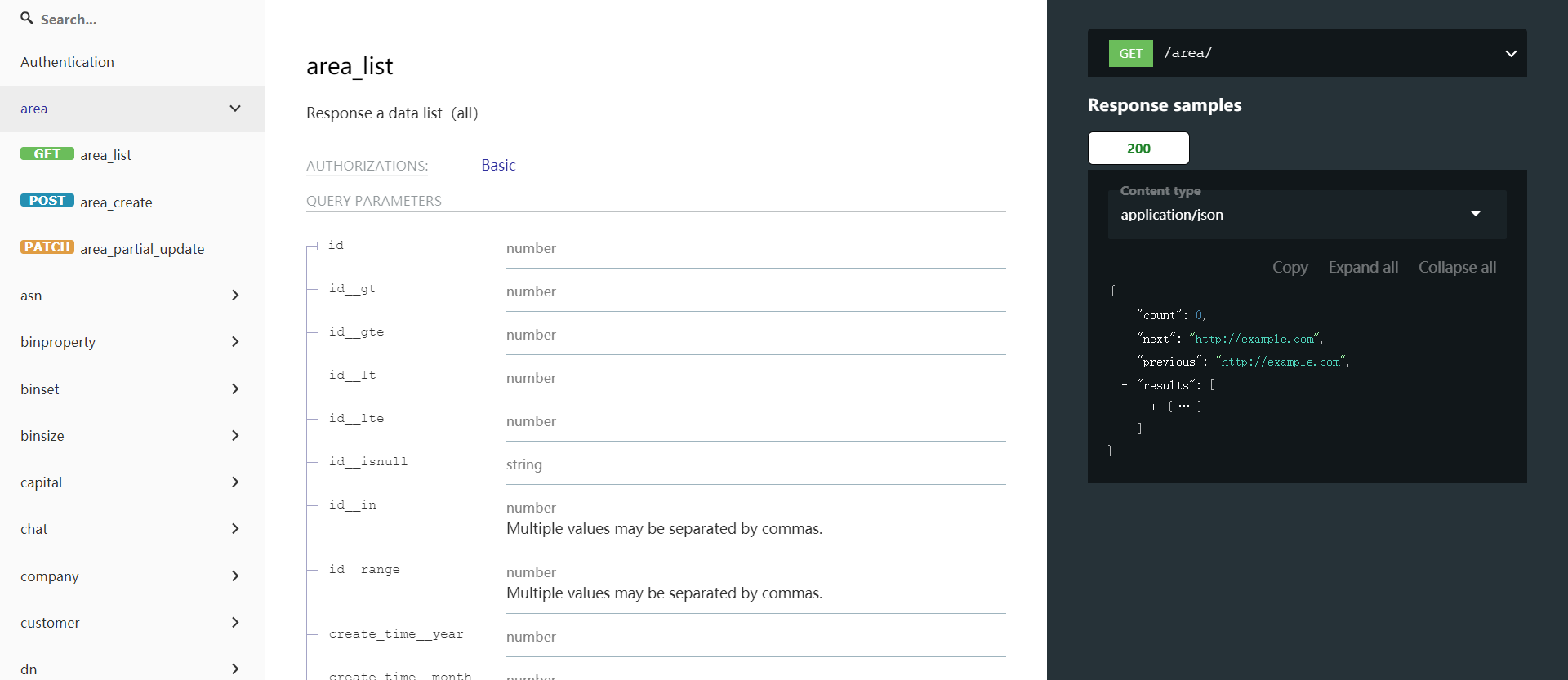
Fully open source warehouse management system follows Apache License 2.0 and front-back stage decoupling method. API uses restful protocol to facilitate for add-on functions development. The html & js code is constructed with quasar(base on Vue.js v2.6.0+). According to API, it can support business models such as multi warehouse, wave shipment, combined picking and milk-run and so on.
- Software Copyright Procedures: 10136559
- GitHub Link: GitHub
- Gitee Link: Gitee
- Video Tutorials: YouTube(All Tutorials Will Upload To Here)
- Home Page: DEMO(Register can initial the demo data)
- Mail:mail@56yhz.com
- CIMO-ADMIN(vue-quasar-manage): GitHub | Gitee
Our Original Intention:
I have 15 years old experience focus on supply chain . I find that in this professional field . No freedom customize software can support our business deeply . Any software are closed-source and hardly to customize or dynamic with our suppliers & customers . So I design GreaterWMS , in order to give business highest freedom way to support trade development .
- Our Vision: If you work in a non IT industry and you love your industry, please using technology to change it.
Development Environment:
-
Python Version 3.9.5 +
-
Django Version 3.1.12 +(This version of Django only supports asynchronous real-time communication)
-
Django-rest-framework Version 3.12.2 + (Highest versions of Django-rest-framework are more compatible with Django3)
-
Django-silk Version 4.1.0 (If you are deploying production, please turn off silk, which is only used for debugging API interface speed, which may leak users' information)
-
Quasar Version 1.7.2 + (You can view the official website of quasar to edit the webside code of greater WMS: Quasar)
-
Vue Version 2.6.0 +(Try not to use vue3, because the development environment does not use vue3, I don't know what will happened)
-
API,Follow RESTful
Build Command:
- Git Clone:
git clone https://github.com/Singosgu/GreaterWMS.git
- Install Python Library:
pip install -r requirements.txt
Atention: Installation requires Twisted library, this library sometimes cannot be installed, you need to download it and install it locally
- Download Link:TWISTED
pip install Twisted{Version Name Which You Download}
Atention: Local installation needs to pay attention to the path
- Makemigrations the Database:
python manage.py makemigrations
- Migrate Database:
python manage.py migrate
Create a database. Django uses sqlite3 as the default database. If you need other database, please configure DATABASE in greaterwms/settings.py
Run Development Server:
- Dev Run:
daphne -p 8008 greaterwms.asgi:application
Run Production Server:
- supervisor Daemon:
pip install supervisor
Use supervisor to guard the Django process, and then use Nginx as a reverse proxy. As for supervisors, there are many tutorials, so I won’t explain them here.
- Nginx Support:
It is recommended to use Nginx for deployment. You need to specify the WebSocket link when deploying. If you do not specify it, the real-time communication function will report an error.
Also need to modify ws_url in templates/dist/spa/statics/baseurl.js
## Example changes before
const baseurl = 'http://127.0.0.1:8008/'
const wsurl = 'ws://127.0.0.1:8008/'

## Example changes after
const baseurl = 'https://Your Production Server/'
const wsurl = 'wss://Your Production Server/websocket/'
If the server has SSL enabled, please use https and wss, if SSL is not enabled, use http and ws
The front-end code needs to be rebuilt after modification
Development Guide:
Baseurl
-
It is the basic URL for initiating the request. If it is for local debugging, the default is http://127.0.0.1:8008/. If it is deployed on the server, you need to change it to your website access URL
-
The modification method is to modify axios_request.js. Attention:
The modification of websocket has been mentioned
Django-Silk
- Django-Silk is a debugging tool during development. It can count the response speed of each interface. If you need to deploy to a production environment, please delete the Django-silk related configuration, because there is a risk of leaking user information, or directly modify the Django-silk library , So that users can only see their request data
Database Storage
-
Data migration and other issues are considered during database design, so only the user_id in users and the user_id that comes with Django are foreign keys, and all the other fields do not use foreign keys, which is convenient for data backup and database migration.
- The database is a 4-stage design
- Verify data user ownership
- Verify data security
- Verify that the data can be stored in the database
- Save it in the database and return Response
About Data Request
- The token value needs to be added to all request headers. This value is the unique identifier OPENID of the user’s data
- All data transmission needs to set content-type to application/json
OPENID
- OPENID is the unique identifier of registered user data. When the administrator registers directly, there will be developer=1 as the administrator ID.
- You can do custom secondary development based on the developer label
APPID
- APPID is the unique identifier of the user data group
- If you need multi company operation or multi warehouse operation, you can make unified link through appid to realize multi company and multi warehouse operation
User Jurisdiction
- There are not too many restrictions on user authorization. Please limit the secondary development according to your own business needs
Business Process:
Administrator
- Click Register, you can register as an administrator account, so as to realize the initialization program settings
- After registration, you will get two IDs and one developer label. openid is the unique ID of the user data group. All data under this openid is bound through openid. Appid is the unique ID of the user group data. Multi company and multi warehouse functions are realized through appid. The developer ID is a Boolean value, and true represents an administrator account
- There are two way for user login:
- Login directly with openid and staff name
- Administrator login with account and password
- After login, the web will localstorage login information
- you can view the openid of user data group by view my openid
- If multi company and multi warehouse operation is required, pay attention to change openid
- More administrator authrization, please develop by yourself
Staff
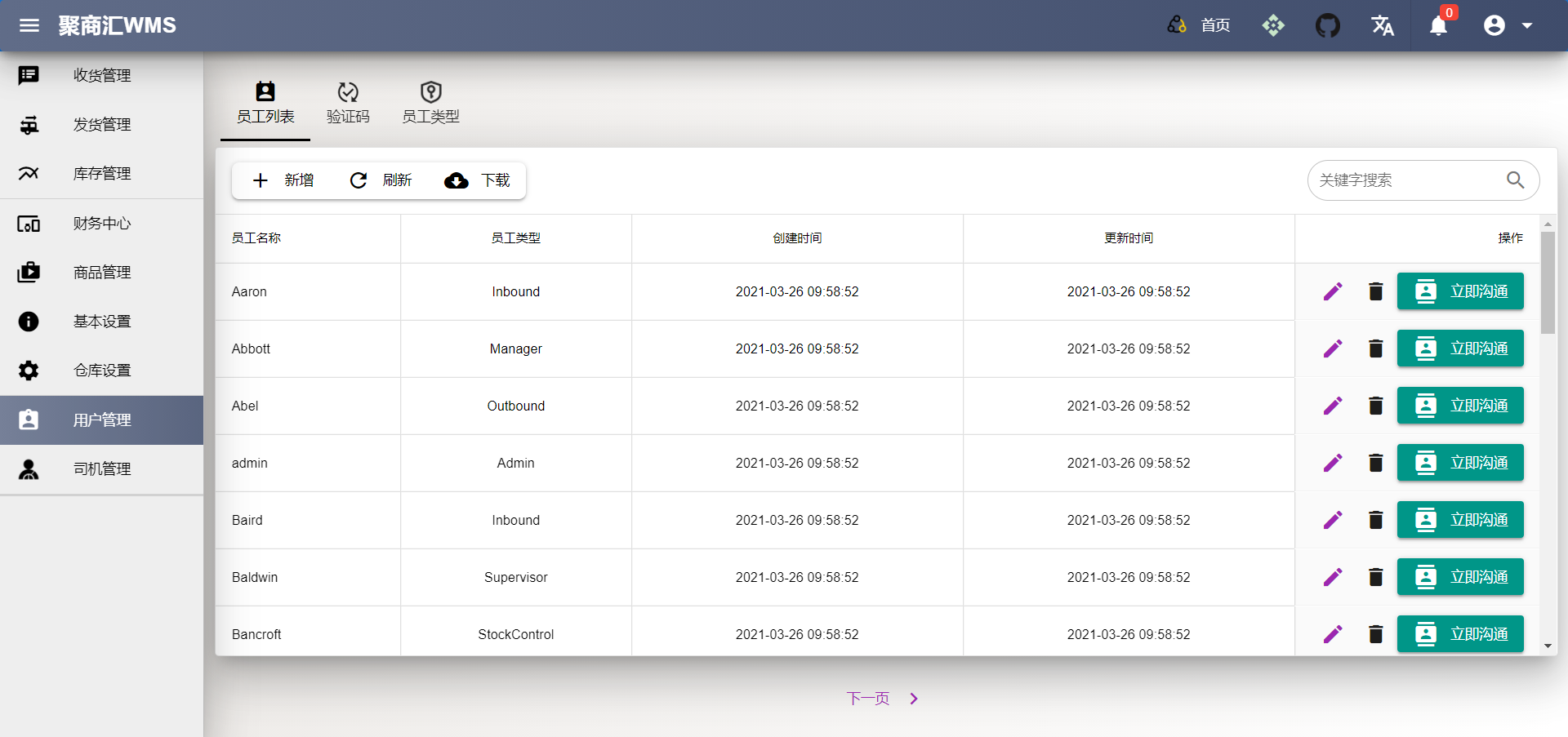
- After registering as an administrator, create a new staff first
- Staff has two fields, staff_ Name (for employee login), staff_ Type (employee type to control employee permissions)
- The system does not have any restrictions on employee permissions. If you need employee permissions, please modify them according to the enterprise business model Templates
- Click Edit to modify the employee information
- Click Delete to delete the staff information. The system will set is_delete to true
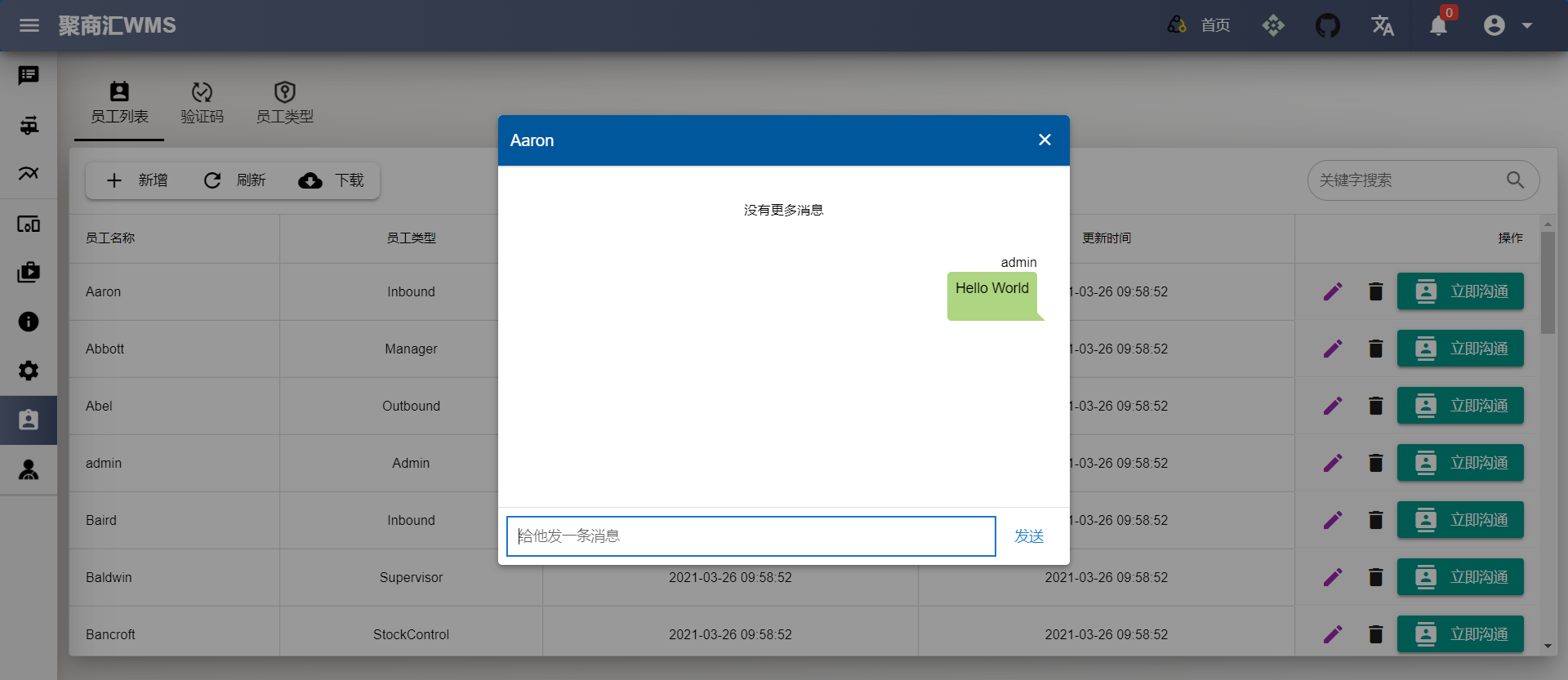
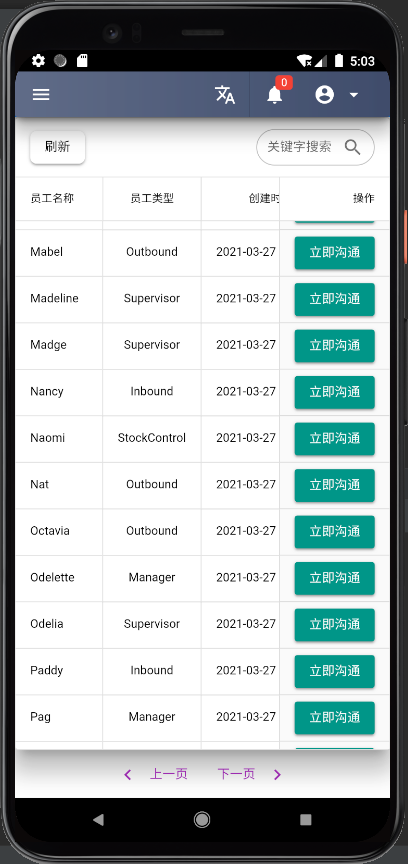
- Click Contact:
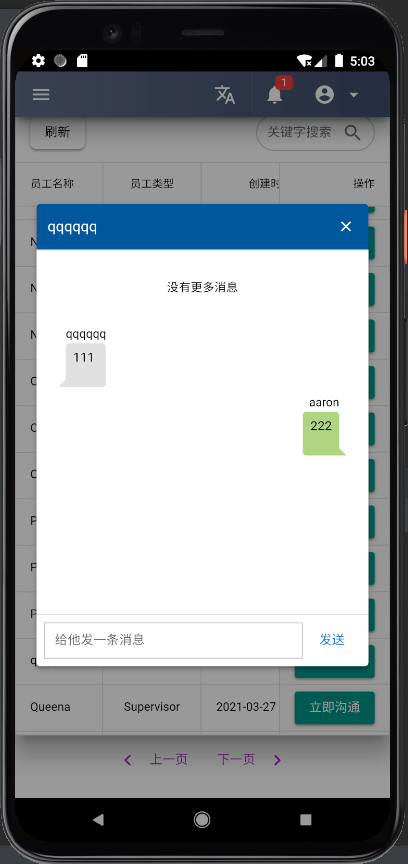
- You can directly chat with employees in real time, but you can't chat with yourself
- You can create a new notebook employee, which is actually used as a notebook
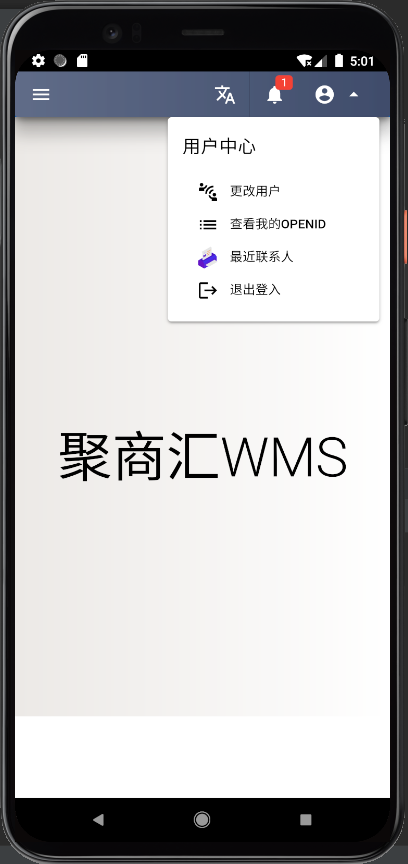
- In the personal center, you can view recent contacts
- The message flag will remind you how many unread messages you have
Driver
- Driver management is only used in the shipping process
- You need to know which driver picked up the goods
Warehouse Set
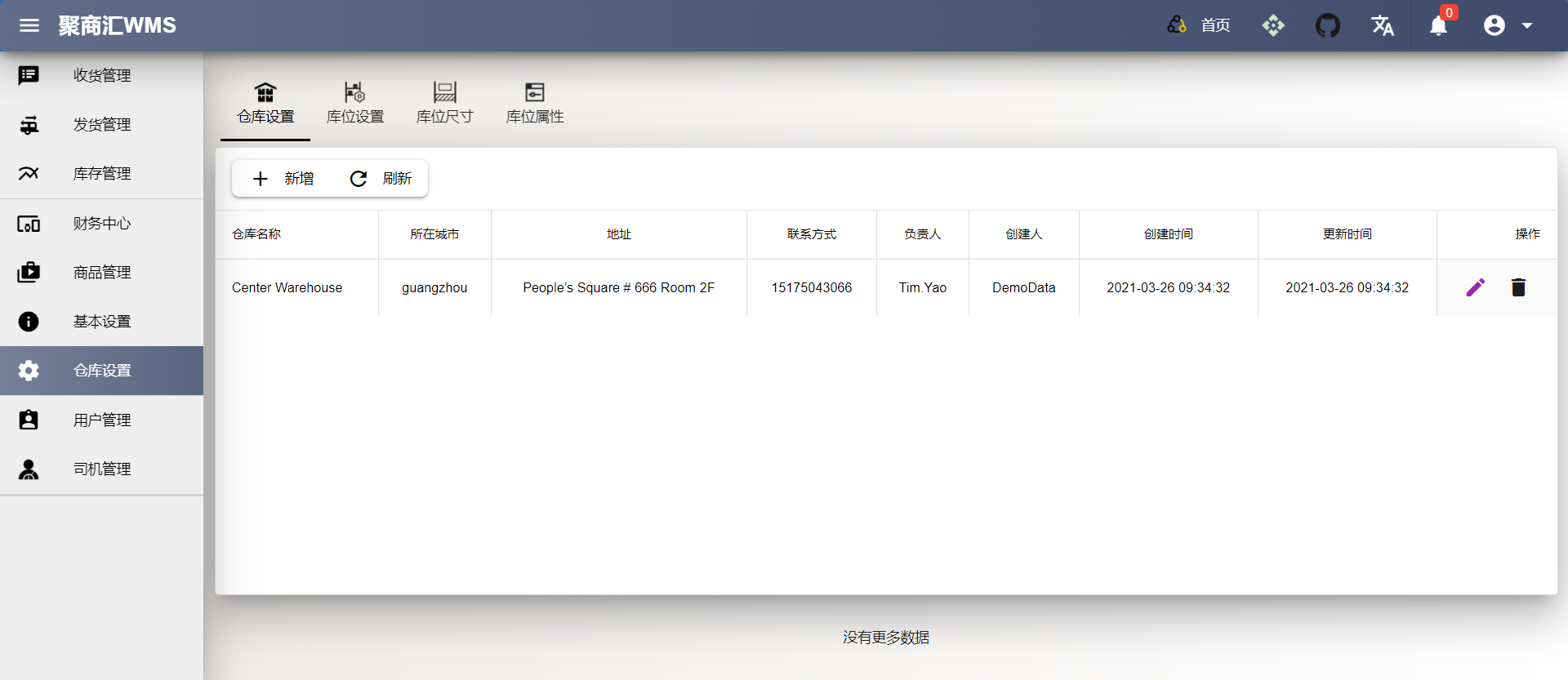
- Warehouse
- You can create only one warehouse. Now you can create multiple warehouses, but only the first one will work
- If multi warehouse processing is needed, secondary development can be carried out through appid, or an administrator account can be created directly
- The city of the warehouse must be filled in, which is used to calculate the freight
- Bin_Property
- The bin property determines the property of the goods in the warehouse
- Four property: damage, holding, inspection, normal
- In the beta version, property can be modified and deleted, but the release version can not
- All shipping process will only match the goods in the normal bin
- When goods are received and moved to another bin, the inventory quantity will be directly modified according to the bin property, and the inventory quantity of the warehouse will not be negative
- Bin_Size
- The size of bin is to help the operator to check whether the goods can be put into the bin
- The current version does not check the dimensions of bin, and automatic inspection will be added in the future
- Bin_Set
- Bin setting is necessary. Generally, bin setting is horizontal, vertical and horizontal, such as A010101, i.e. A horizontal, 01 vertical, 01 horizontal and 01 vertical
- The setting of bin needs to set the bin property and size. The property is very important, which determines whether the goods in this bin are normal goods
Basic Info
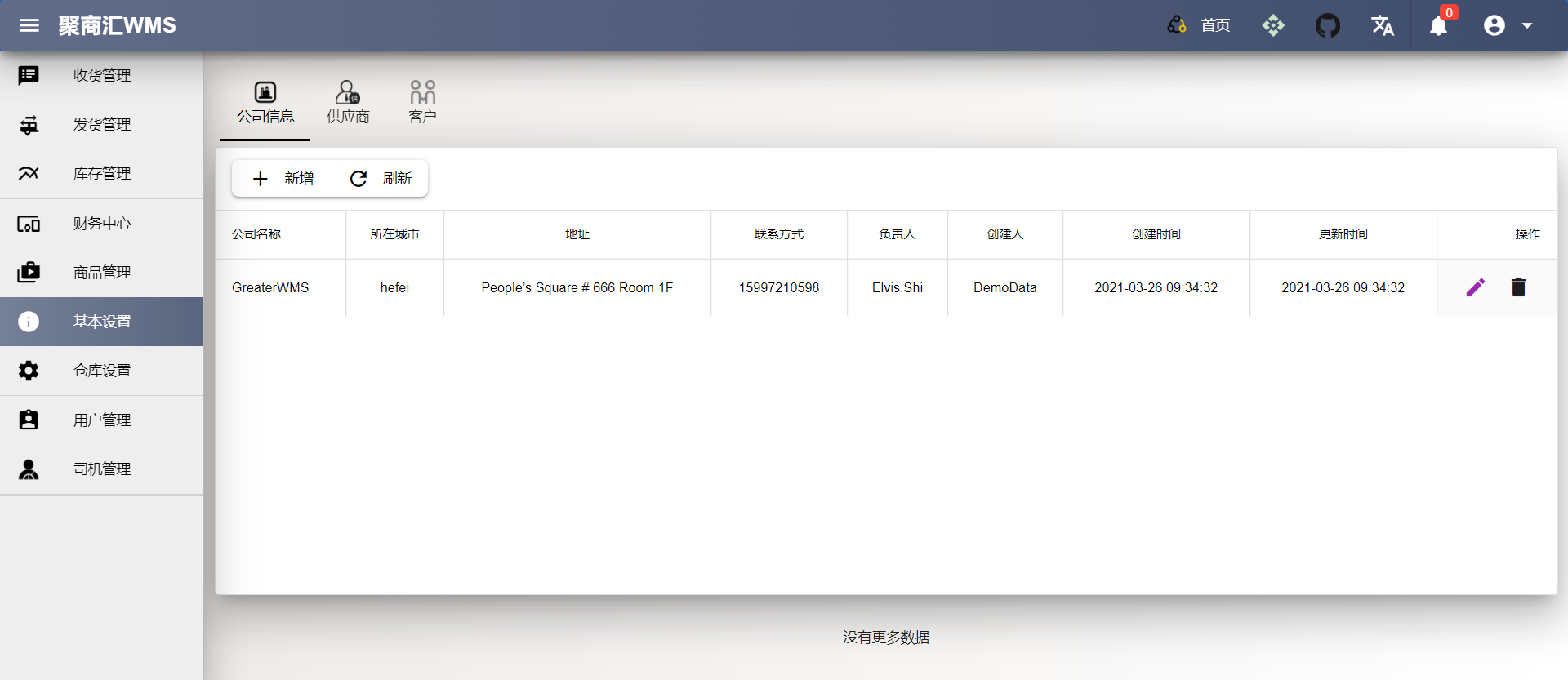
- Company
- The creation of basic company information can only create one company. Now you can create multiple companies, but only the first one will work
- If multi company processing is needed, secondary development can be carried out through appid, or an administrator account can be created directly
- The city of the company must be filled in, which is used to show on the receipt-proof
- Supplier
- Basic information of suppliers
- The city of the supplier must be filled in, which is used to display on the receipt-proof, and also to calculate the freight automatically
- Customer
- Basic information of customers
- The customer's city must be filled in, which is used to display on the invoice, and also to automatically calculate the freight
Godds
- Unit
- Goods units, the system will initialize to create some, but you can add and modify
- Class
- Goods Class, you can add and modify
- Color
- Goods color, the system will initialize to create some, but you can add and modify
- Brand
- Goods brand, you can add and modify
- Shape
- Goods Shape, the system will initialize to create some, but you can add and modify
- Specs
- Goods specs, you can add and modify
- Origin
- Goods Origin, where initial product goods, you can add and modify
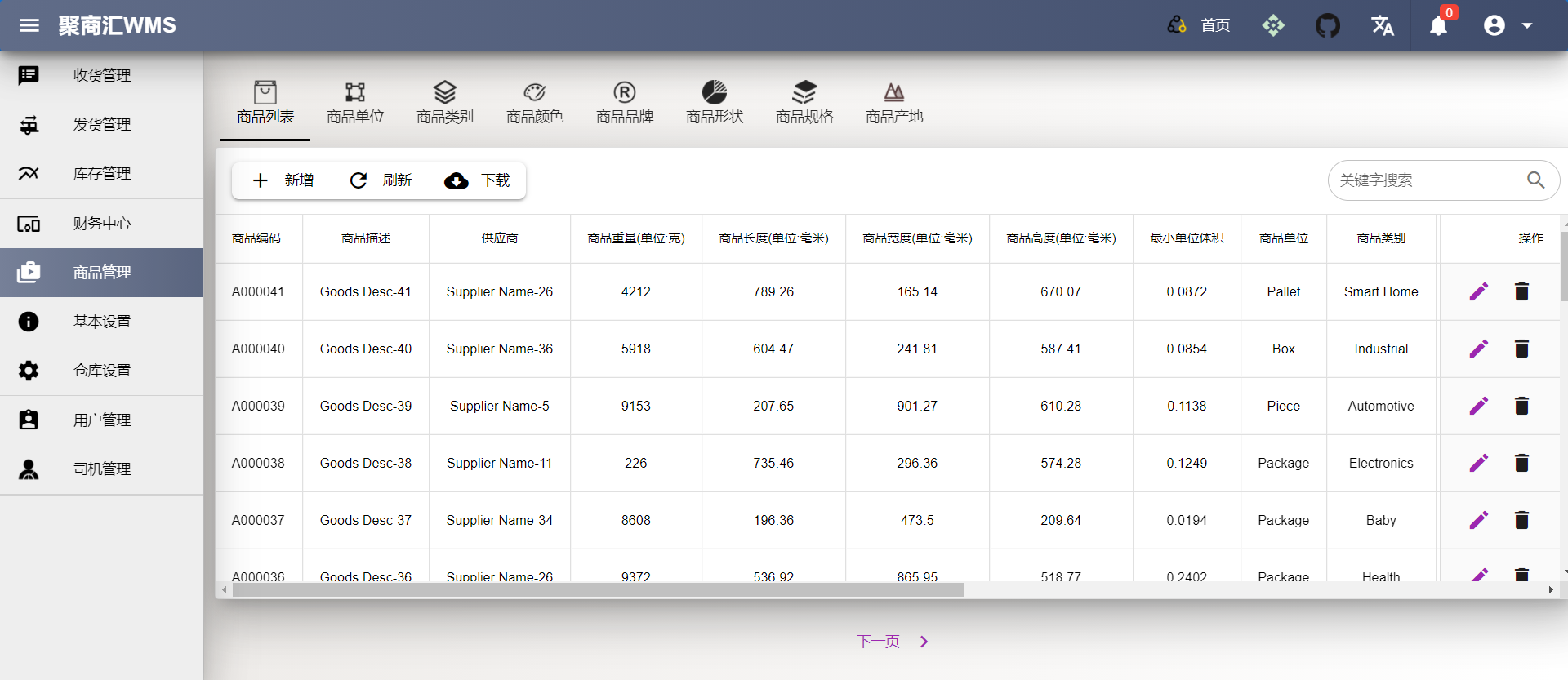
- Goods List
- Goods list
Capital
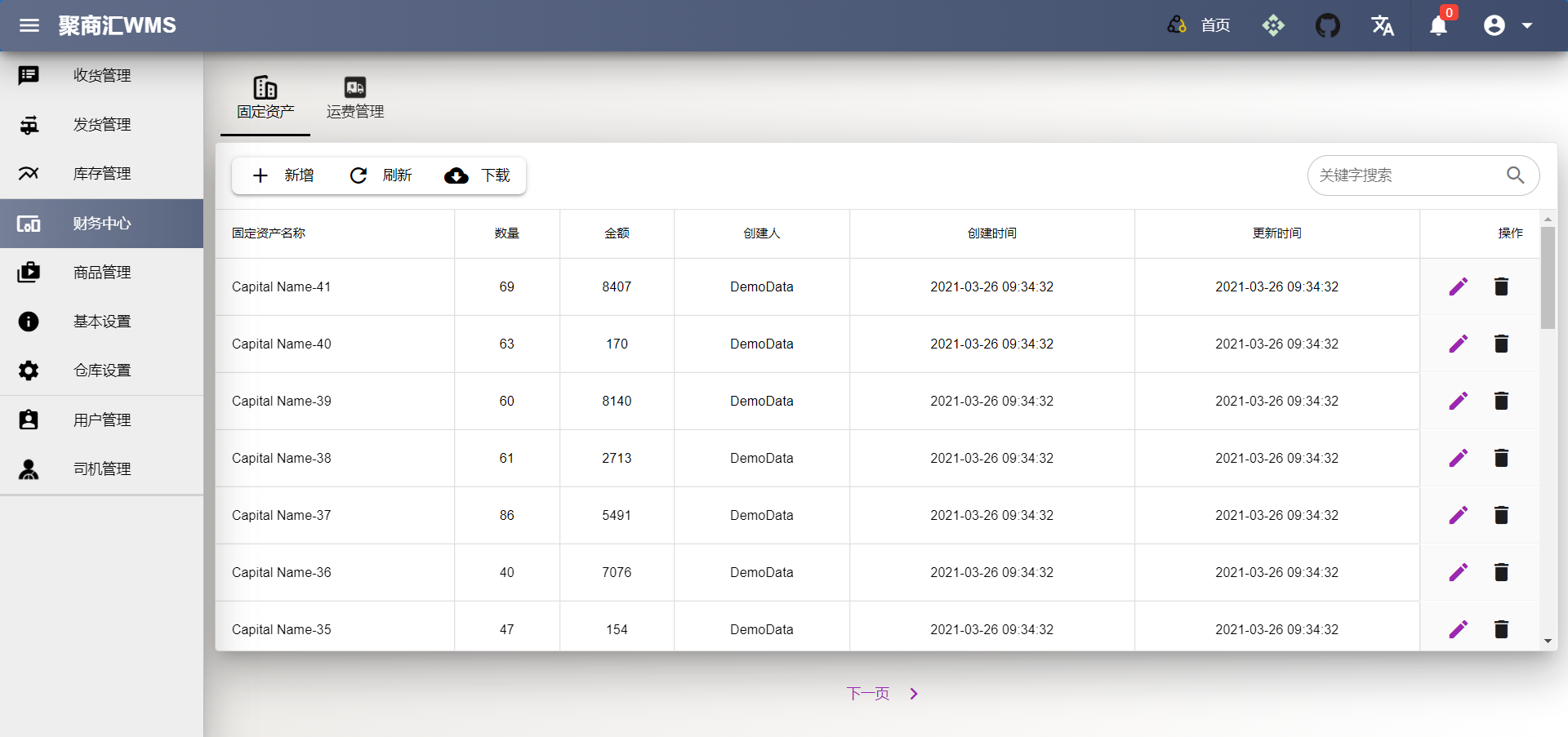
- Capital
- The creation of fixed assets, not too much expansion, just record the use
- Can be statistical pallets accounts
Stock Management
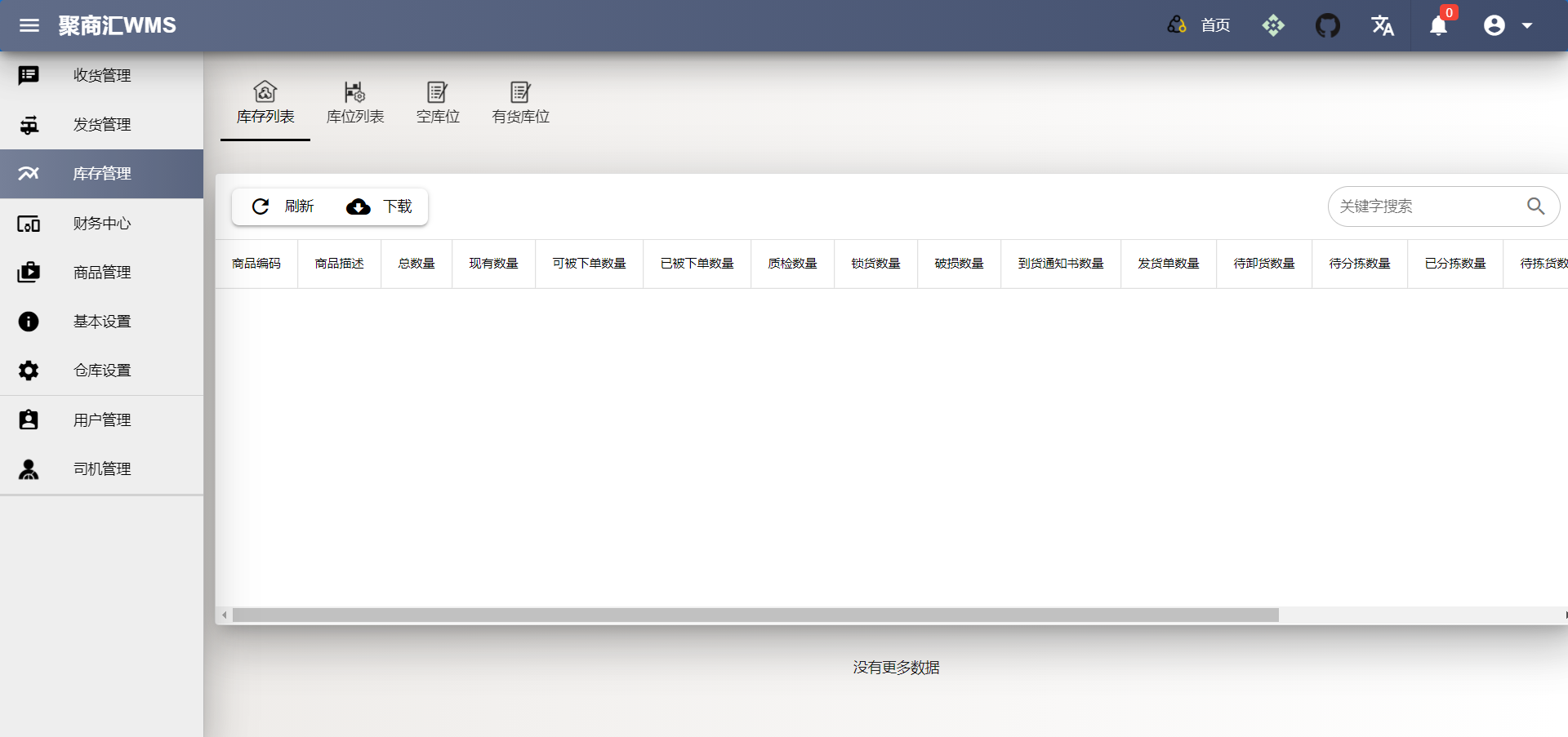
- Stock List
- Total inventory data of goods
- Onhand_ Stock quantity on hand
- Can order, which can be used to determine the inventory quantity of an order. Some goods have been ordered, but they can't be ordered any more even though they have existing inventory
- Ordered stock, the quantity of goods be ordered
- ASN stock has issued the arrival notice, but has not confirmed the quantity of goods in the arrival notice
- DN stock, has been ordered, but the order quantity has not been confirmed
- Pre Load,expected quantity of goods delivered
- Pre Sort,the quantity of goods that have arrived, unloaded and waiting to be sorted
- Sorted Stock, The quantity of goods waiting to be put on the bin after sorting
- Pick Stock, The picking list is generated from the delivery document, and the quantity of goods waiting to be picked
- Picked Stock, The quantity of goods that have been picked up and waiting to be handed over to the driver
- Back Order Stock, Order quantity in arrears
- Bin Stock
- Total Stock, all inventory quantities of the product in this bin
- Pick Stock, the quantity of goods to be picked in this bin
- Picked stock, the quantity of goods picked in this bin
- Move to Bin: after moving, the inventory quantity will be updated directly according to the bin property. If all goods has been moved out from this bin, the bin will be updated to empty
- Empty Bin
- Empty bin List
- Occupied Bin
- Occupied bin list
Inbound
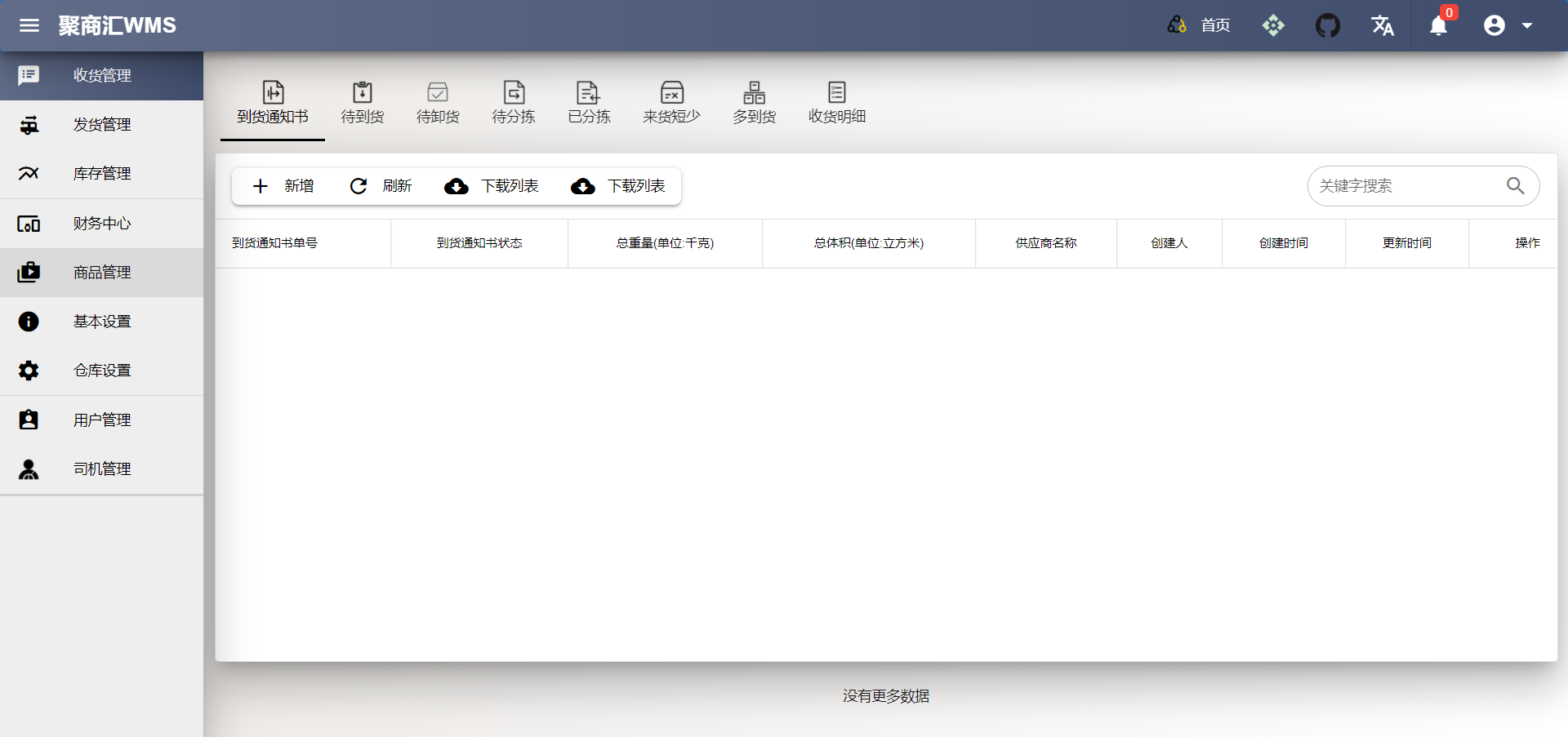
- ASN
- ASN status = 1, the ASN arrival notice is created, and status 1 is the only status that can delete and modify the ASN information. It will be displayed in pre delivery, that is, there is an arrival notice, but it has not arrived. Click confirm delivery to confirm that the goods have arrived, and ASN status will be updated to 2. At this time, the ASN information can no longer be modified
- ASN status = 2, it is developed to queue up for the arrival of drivers. If we have many drivers arriving, it can be made into a queuing system. At the same time, it can also let the purchase and sales see the arrival information, reduce unnecessary email and telephone communication. Click finish loading to confirm that the goods have been unloaded, and Asn status will be updated to 3, The goods information will appear in sorting, and the ASN status indicates that the goods have been unloaded to the warehouse and are waiting for sorting
- ASN status = 3, goods sorting is a necessary process. Without goods sorting, goods cannot be put on shelves. The principle of putting on shelves is to arrange the goods and put them on the corresponding warehouse location. Click confirm sorted, and Asn status will be updated to 4, that is, confirm the sorting and wait for loading
- At this time, when you move the sorted page, the goods details that need to be put on the shelves will appear. Click move to bin to finish the listing. Of course, the system will automatically update the inventory quantity information of goods according to the location attributes after the listing
Outbound
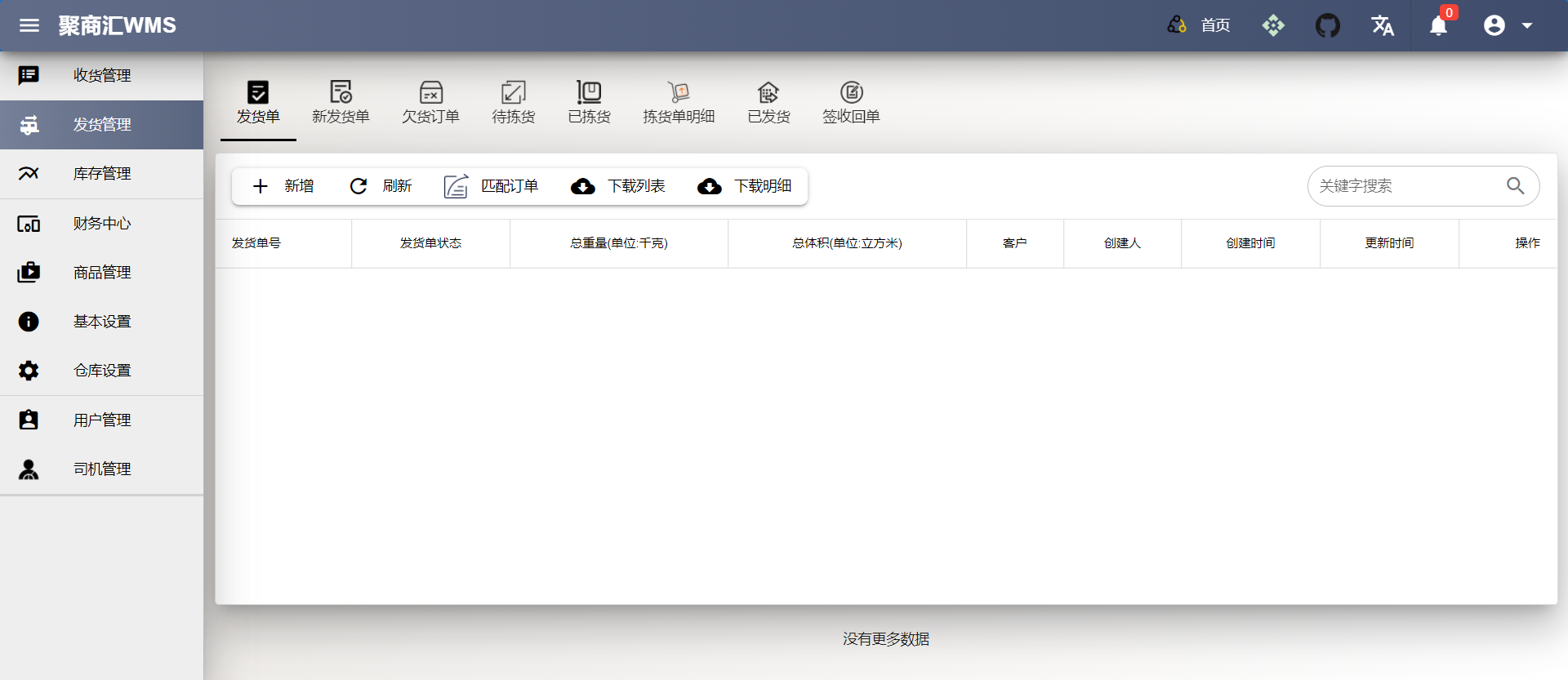
- DN
- DN status = 1, when the DN shipping order is created, the order status can still be modified, and the inventory quantity in the system will not change. Click confirm order, and the DN status will be updated to 2, that is, the order has been confirmed and cannot be changed. At the same time, the inventory quantity in the system will be automatically updated, such as can order quantity and ordered quantity
- DN Status = 2, This is the process when an order is confirmed and waiting to generate a picking list. You can click order release of a single order to generate a picking list of an order. You can also click release all order to generate a picking list of all orders. If all orders are released, the inventory will be matched according to the time sequence. When the inventory is insufficient, back will be generated In this process, the DN order number will change. For example, multiple orders of a customer will be unified into one order for picking. If the customer's order cannot be satisfied, the unsatisfied part will be generated as a shortage order. If the shortage order is not met by the matched inventory, no new order will be generated. Dn The status will be updated to 3, that is, in the process of waiting for picking, the status will be 2 when both the confirmed order and the shortage order are in the same status
- DN Status = 3,Direct picking, this function will appear in beta5 update
- DN Status = 4, Delivery handover, this function will appear in beta6 update
- DN Status = 5, Customer receiving, this function will appear in beta7 update
- DN Status = 6, When the reconciliation is finished and the order is closed, this function will appear in the beta7 update
Reject Order
- RO This feature will add in the release version
Screen Shot